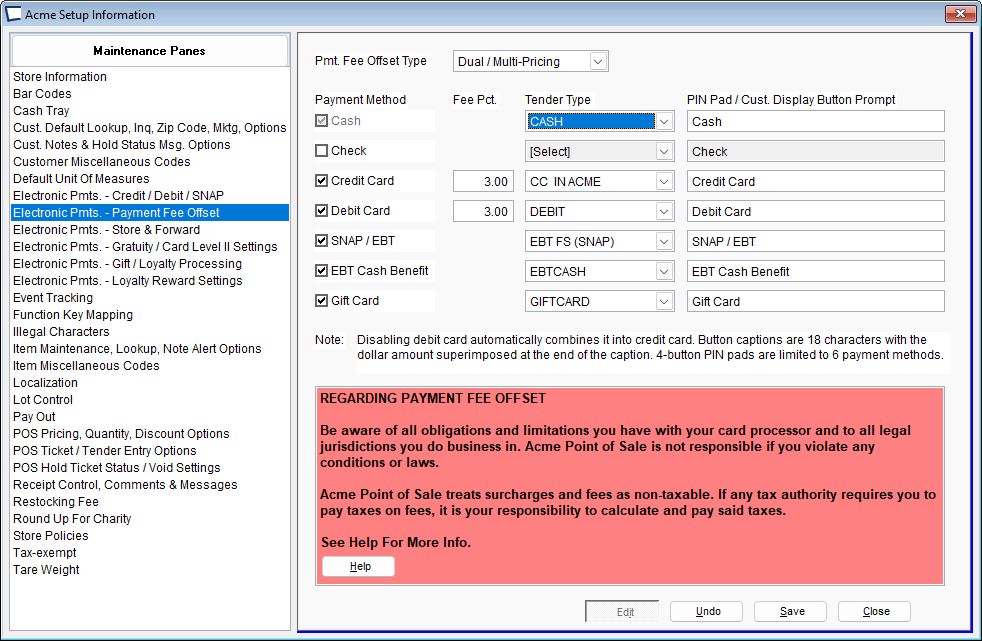
Click >Maintenance >Acme Setup Information >Electronic Payments - Payment Fee Offset
Select Dual / Multi-Pricing
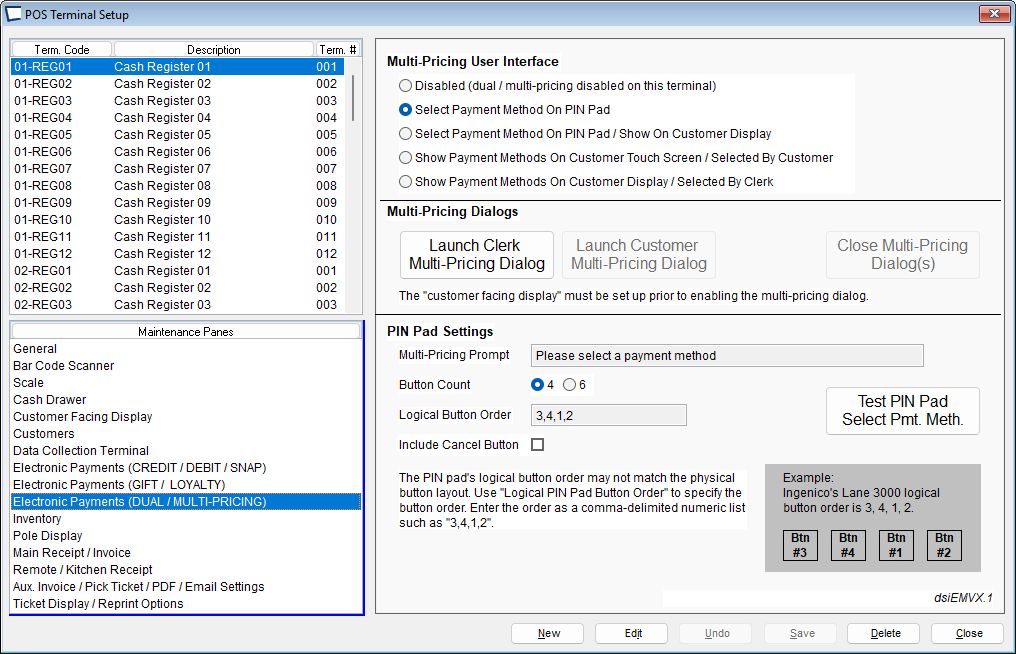
Tap >Maintenance POS Terminal Setup
Select the appropriate POS Terminal and then > Electronic Payments (Dual Pricing) pane and configure the terminal settings:
In Ticket Entry, add the "Select Pmt. Meth." ^MP action to any Tender Entry Key. (Right click to select Edit Mode and when done saving the button Left click to deselect Edit Mode
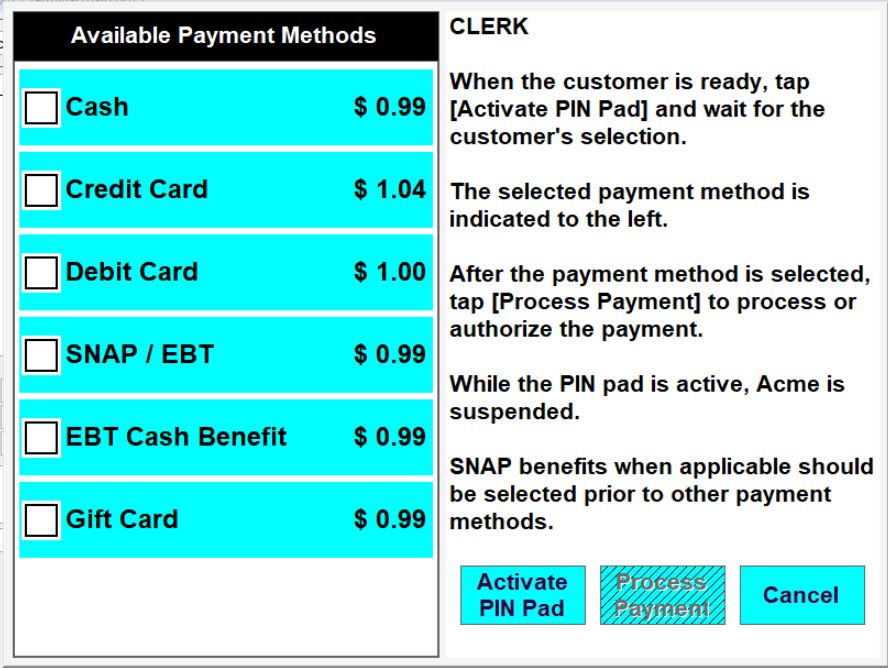
Now, during a sale when you tap the new action key the price of the sale with the available payment methods is displayed for the clerk and/or customer.
1.Clerk Activates PIN Pad
2.Customer Makes Choice of Payment Method, based on amounts and payment types shown.
3.Clerk Taps “Process Payment”. Other steps flow based on selections made.
Most stores would not have all 6 payment methods as shown below.
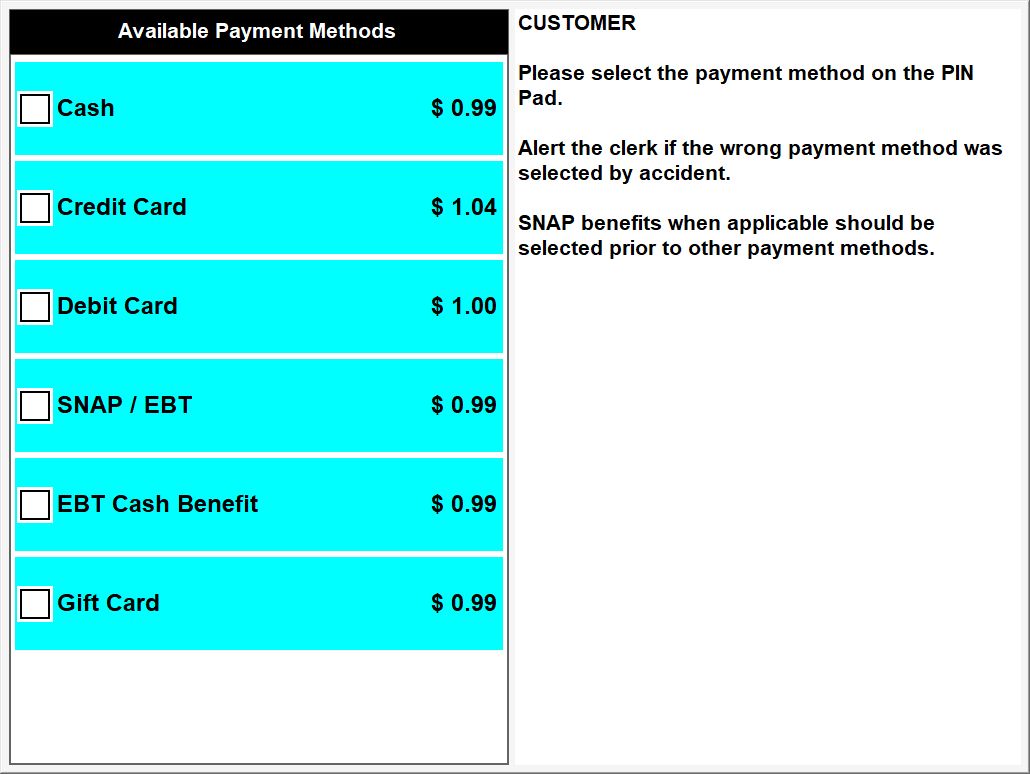
The customer can view and select the payment option on compatible Pin Pad:
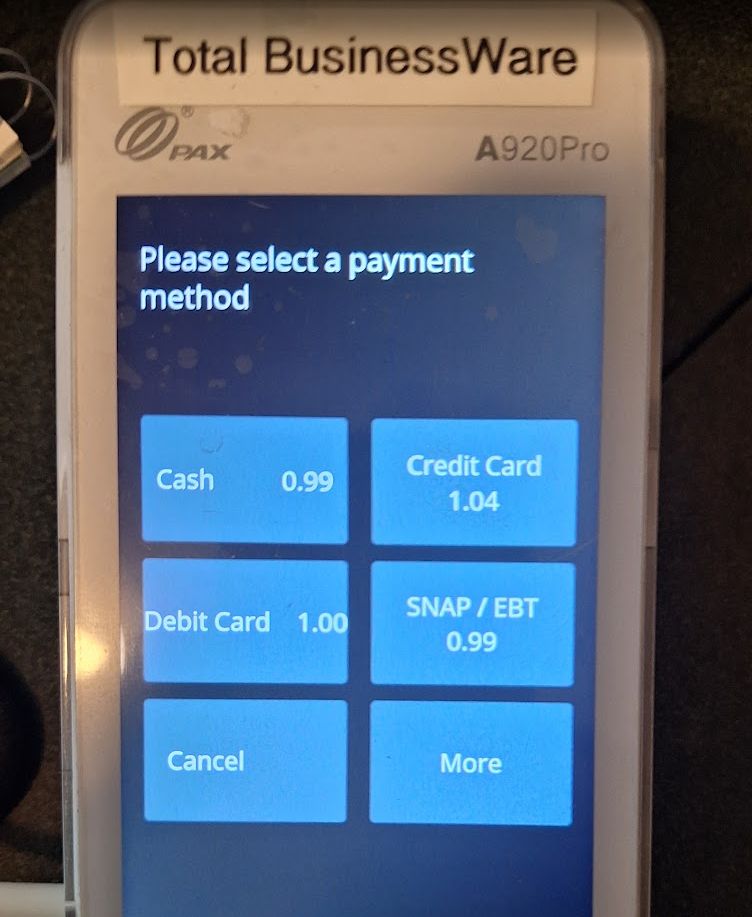
The customer can view and select the payment option on compatible customer facing touch screen: