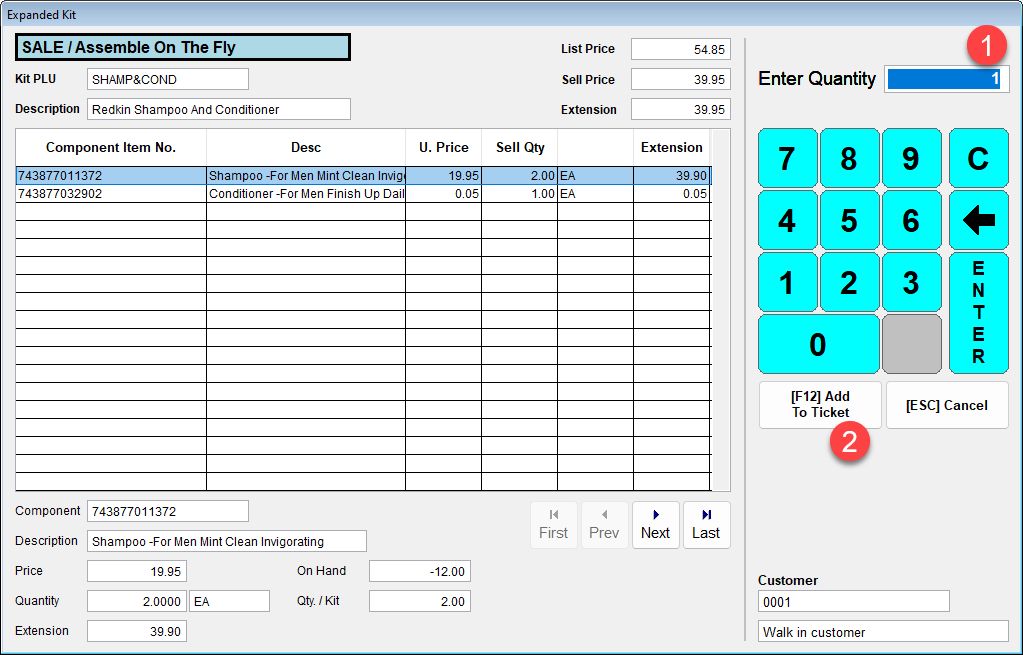
This is an example of an "On the Fly" aka Multiple Add-On Item Kit. The components are added to the ticket, so they do not need to be removed from inventory in a separate transaction. You can configure Acme to print components onto the receipt or not, this setting is global.
The kit includes 2 bottles of shampoo and 1 bottle of conditioner.
Item Setup:
"Apply..." buttons
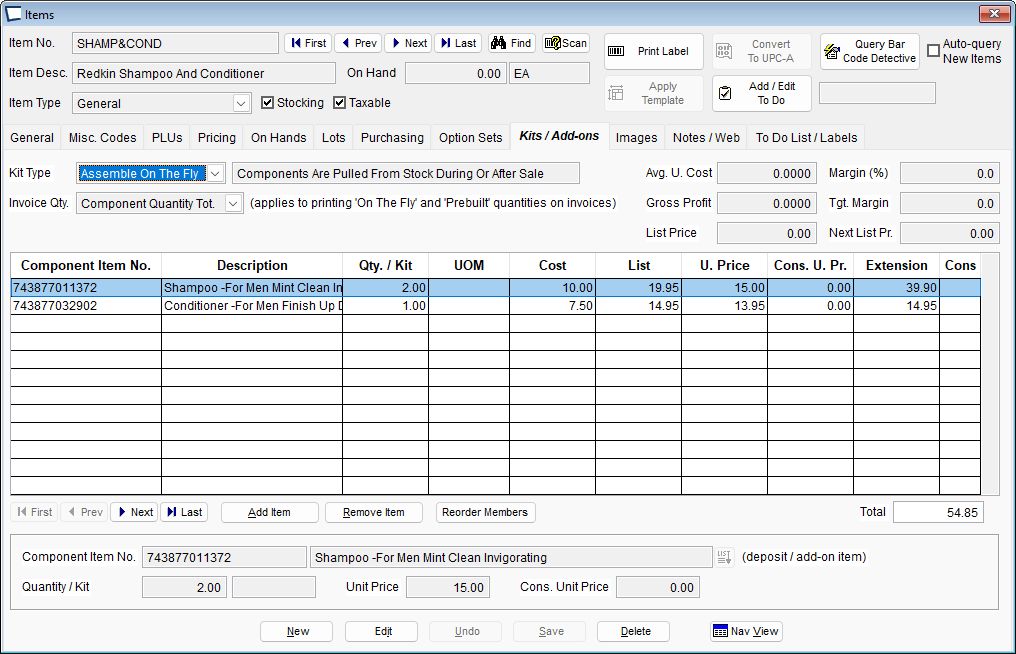
The two highlighted "Apply" buttons at the bottom of above screen make it very easy for you to set the kit List Price equal to the sum of the component's List Prices or the sum of the sum of the Component Prices that you have assigned to this kit. This kit will be sold for 39.95.
Note that Special and Quantity pricing does NOT work with kits assembled on the fly. Customer Price schedules do not work, but consigned inventory does. See Storage consignment below.
Assembled on the Fly Kit List Price Notes
Component List Price is displayed on the kit tab, which is helpful when determining how much to sell the kit for. It is NOT used in Ticket Entry nor displayed on receipts.
If the kit (finished) item has a List Price, it is ALWAYS used. Retailer should make sure List Price is not less than SELLPRICE, or receipts and such may be questioned.
If the kit item’s list price is $0 and no consigned items are substituted into the kit then the “Component Price” from the kit is used for List Price and Selling Price. See “Total Comp. Price” on the kit tab in item maintenance.
If the kit item’s list price is $0 and consigned items are subbed into the kit then the List Price and Selling Price are calculated based on the “Component Price” and “Consigned Price” columns in kit maintenance and the actual quantities used in the ticket. List and Selling Price will be the same as each other, not discount will be recorded.
In no case is List Price of consigned substituted component records used for anything in a kit. On a related note, it is impossible for user to edit the consigned price of a component in the kit dialog.
Storage Consignment - If storage consignment is enabled in Acme setup, the consigned price can be viewed as well. This is not visible on screen above, because it was not active in that installation. Currently this value can only be populated via Pump from AccountMate, inquire if stand alone control is desired.
Reorder List button. Change the order that the components appear in the list.
Ticket Entry: